Role
Product Designer
Scope
UX, UI, Design System
Tools
Figma
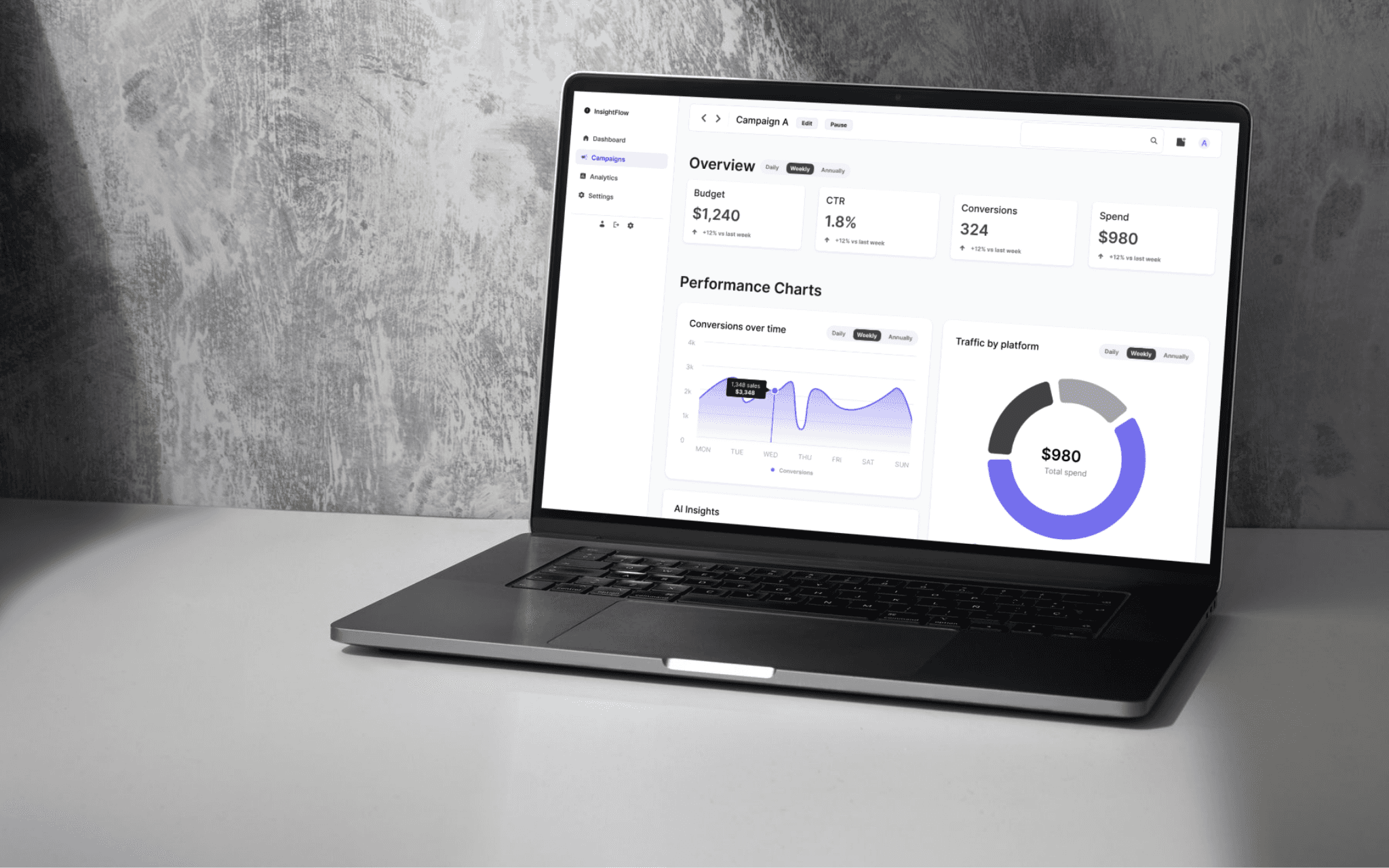
InsightFlow
A dashboard designed to help marketers track campaign performance, understand channel distribution, and make data-driven decisions faster.
Problem
Marketing teams use multiple tools to track campaign performance. Data is fragmented across platforms, making it hard to get a clear overview and make quick decisions.
This creates three major problems:
Campaign setup and performance monitoring happen in separate places
Key insights are hard to scan quickly
Teams lack a single interface that supports the full workflow from creation to analysis
Goal
The goal of InsightFlow was to design a unified campaign management interface that supports the full lifecycle of a campaign:
creating campaigns
browsing and comparing campaigns
reviewing detailed performance
identifying actionable insights
Product Scope
The product was structured around four core views:
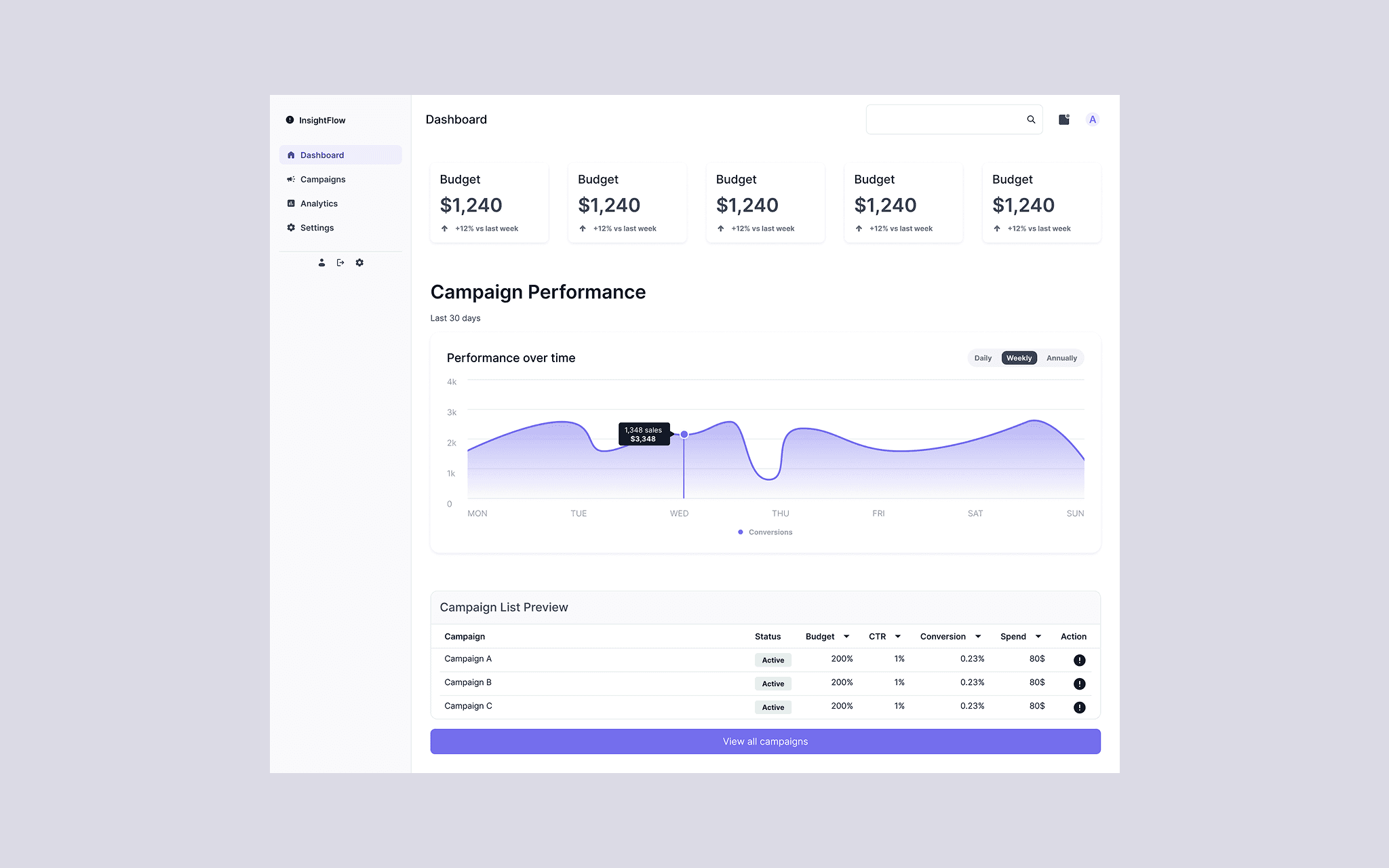
Dashboard
quick overview of campaign performance and recent activity
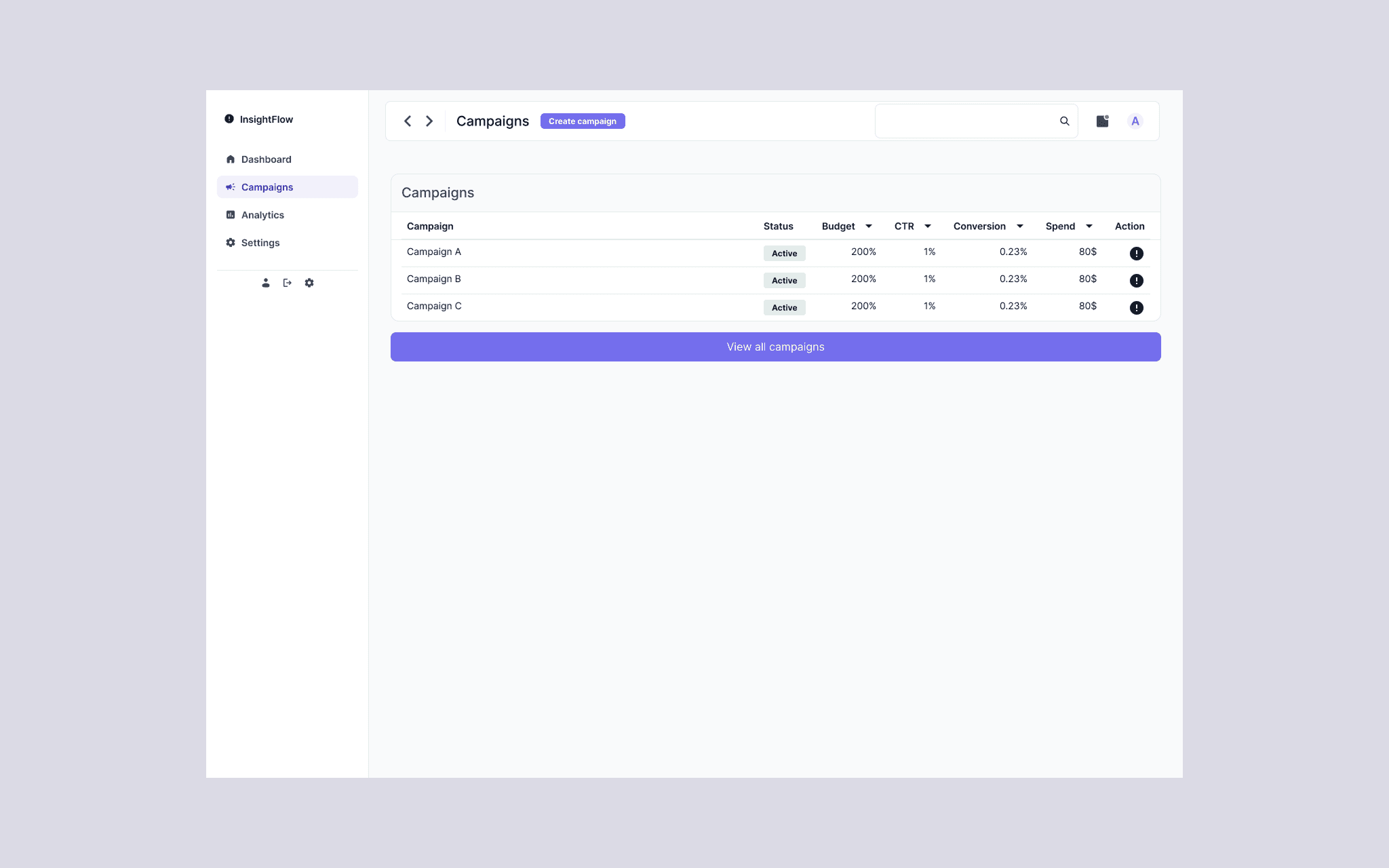
browse and compare active campaigns in a structured table
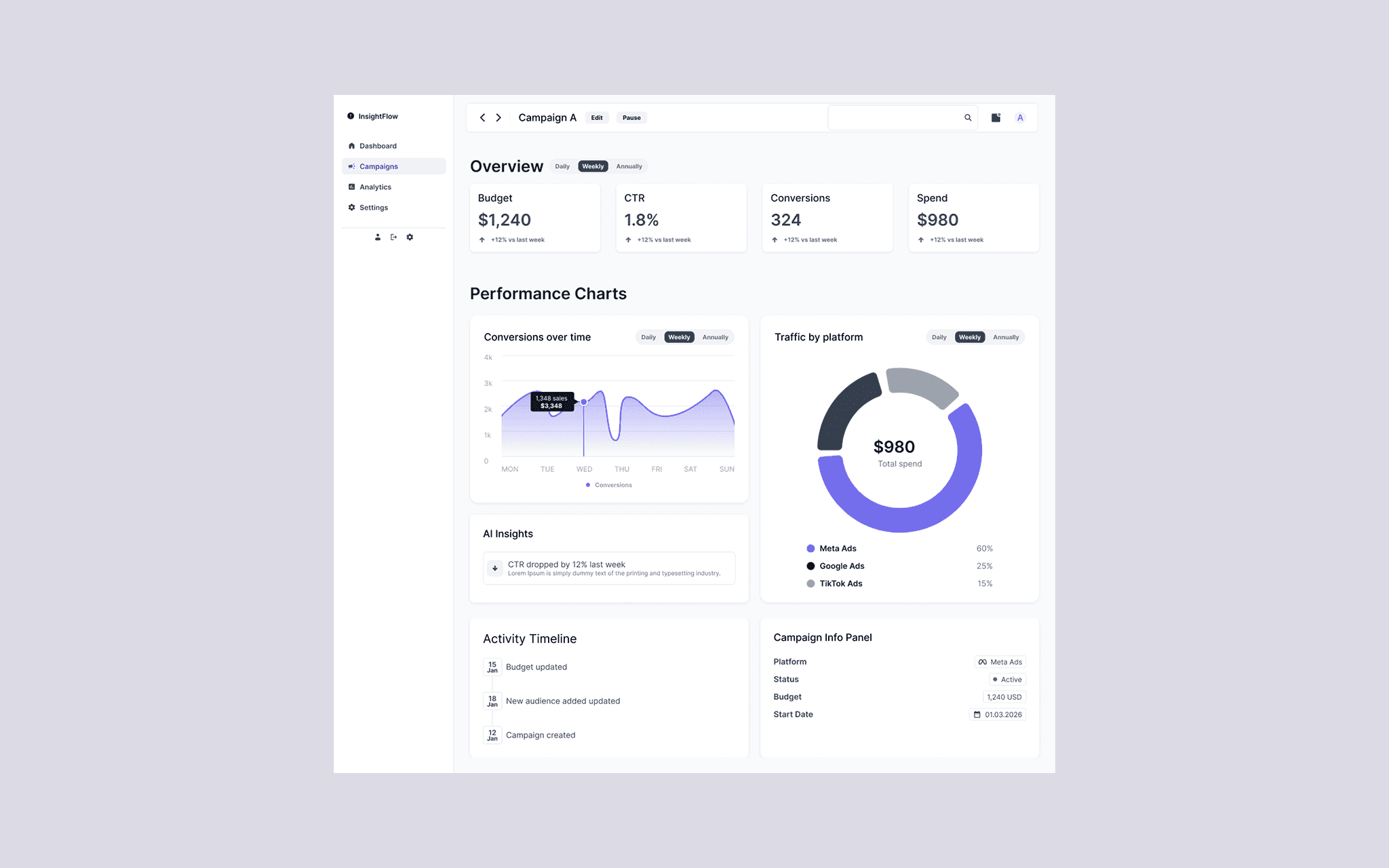
Campaign Details
inspect one campaign in depth through KPIs, charts, insights, and timeline
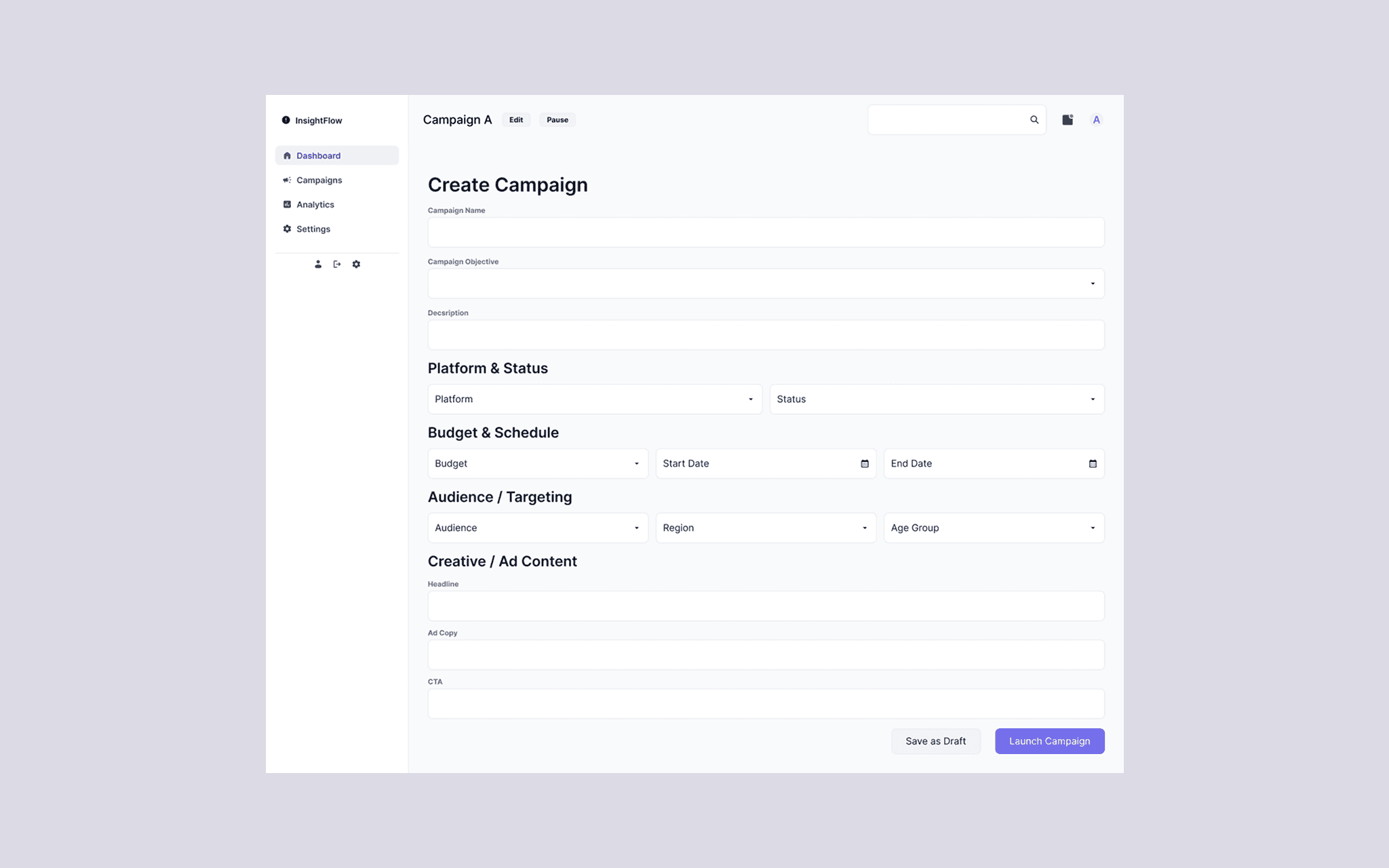
Create Campaign
configure a new campaign through a structured multi-section form
Information Architecture
To reduce cognitive load, the interface was designed around a predictable structure:
global navigation on the left
persistent top bar with search and quick actions
page-specific content areas organized around tasks
This creates consistency across the product and helps users move between overview, detail, and action-oriented views without relearning the layout.
Dashboard
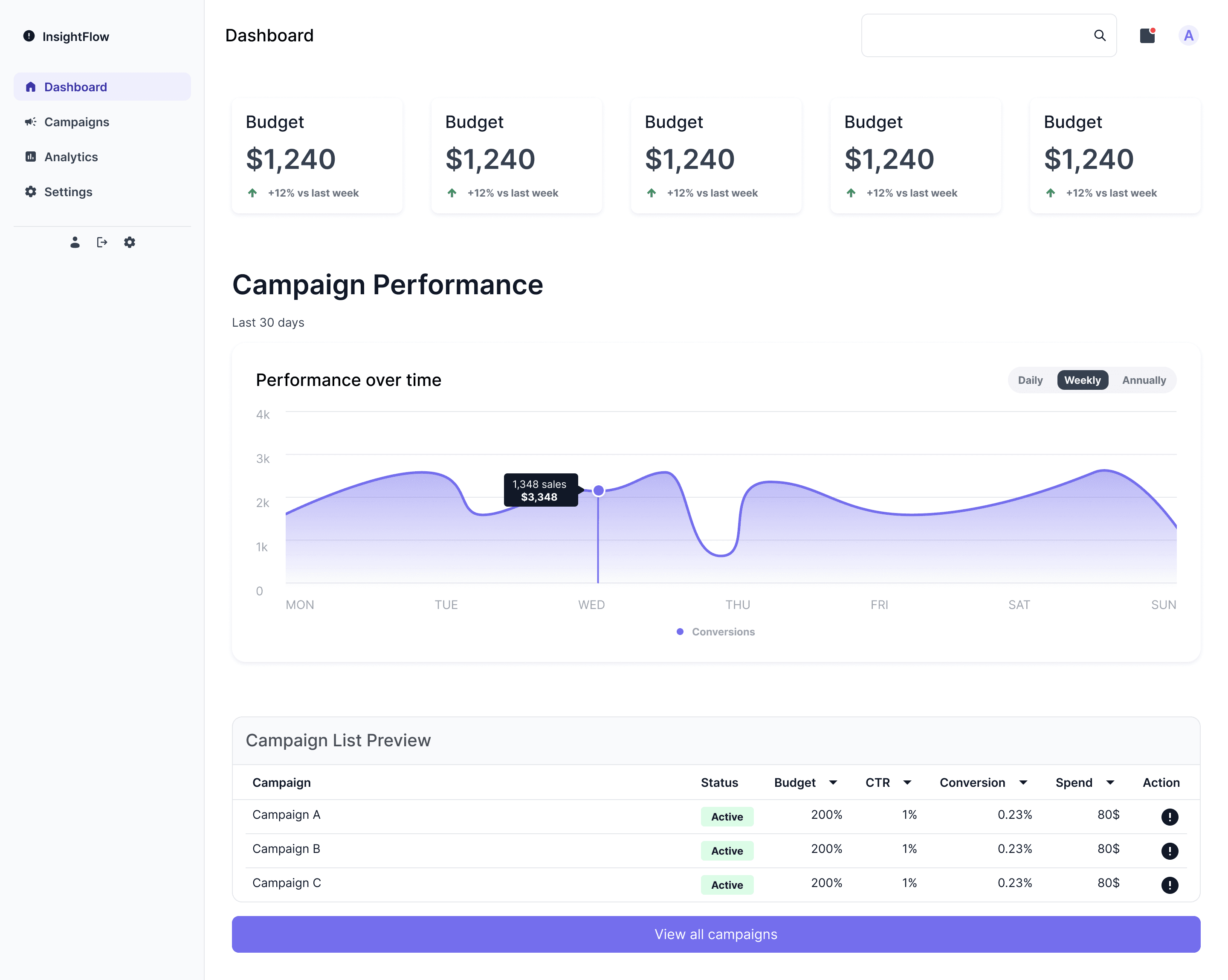
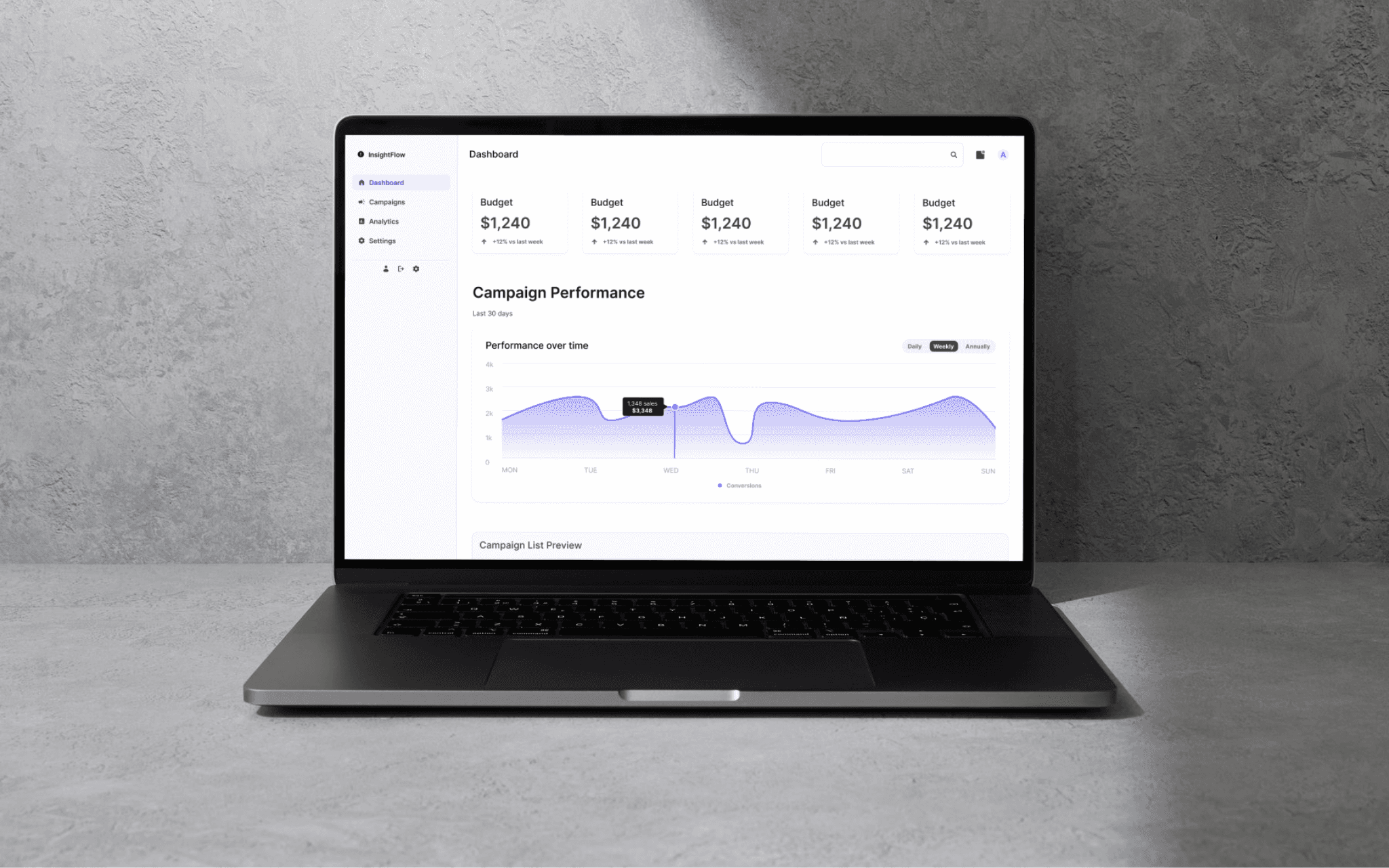
The dashboard was designed as a high-level entry point into the product.
It combines:
KPI cards for quick scanning
a performance chart for recent trends
a campaign list preview for fast access to active campaigns
This view helps users understand what is happening across campaigns before diving into individual details.
Campaign List
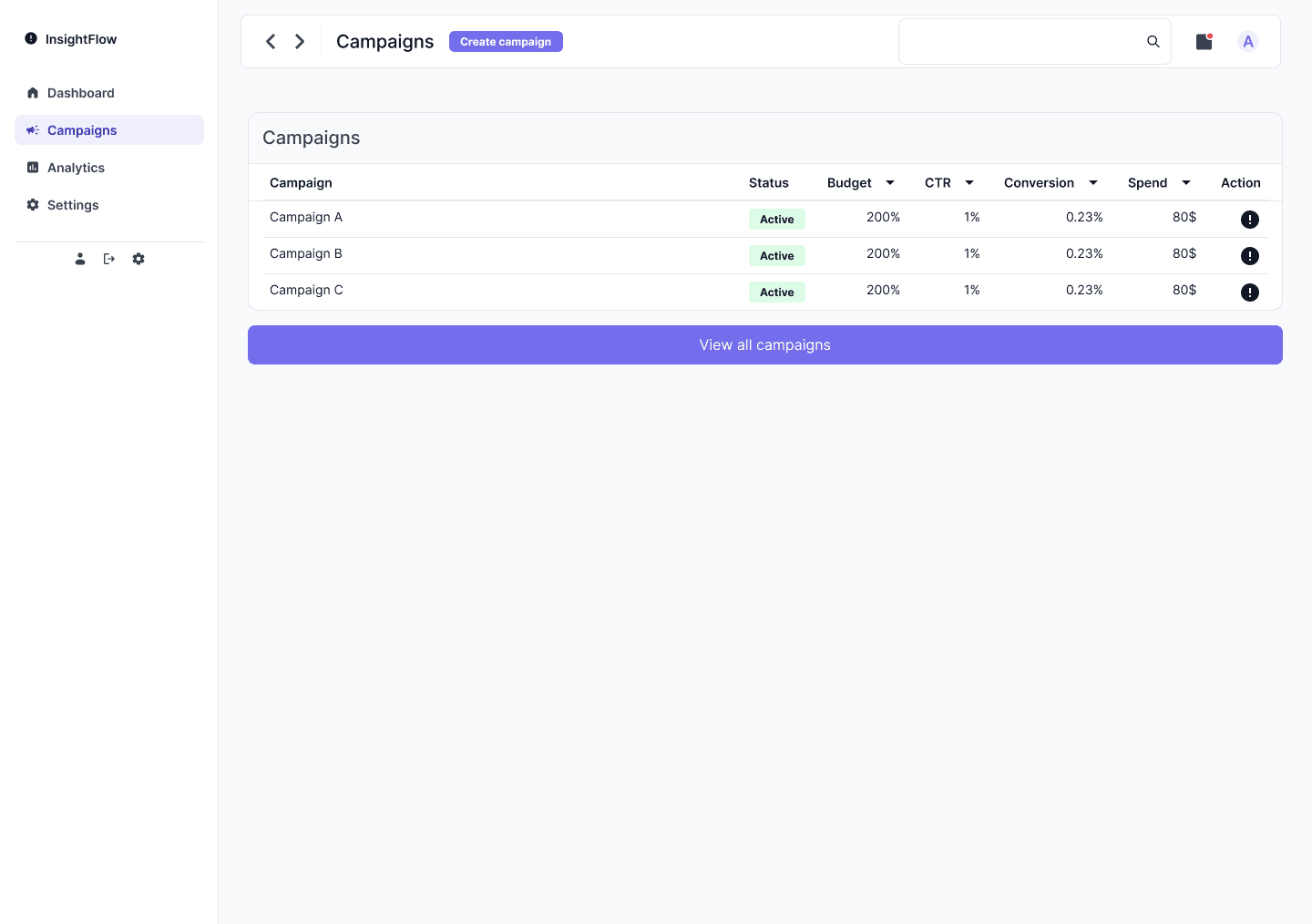
The campaign list view supports browsing and comparing campaigns in a structured, table-based format.
The interface was designed to make comparison easy through:
clear row hierarchy
reusable status badges
sortable columns
direct access to actions
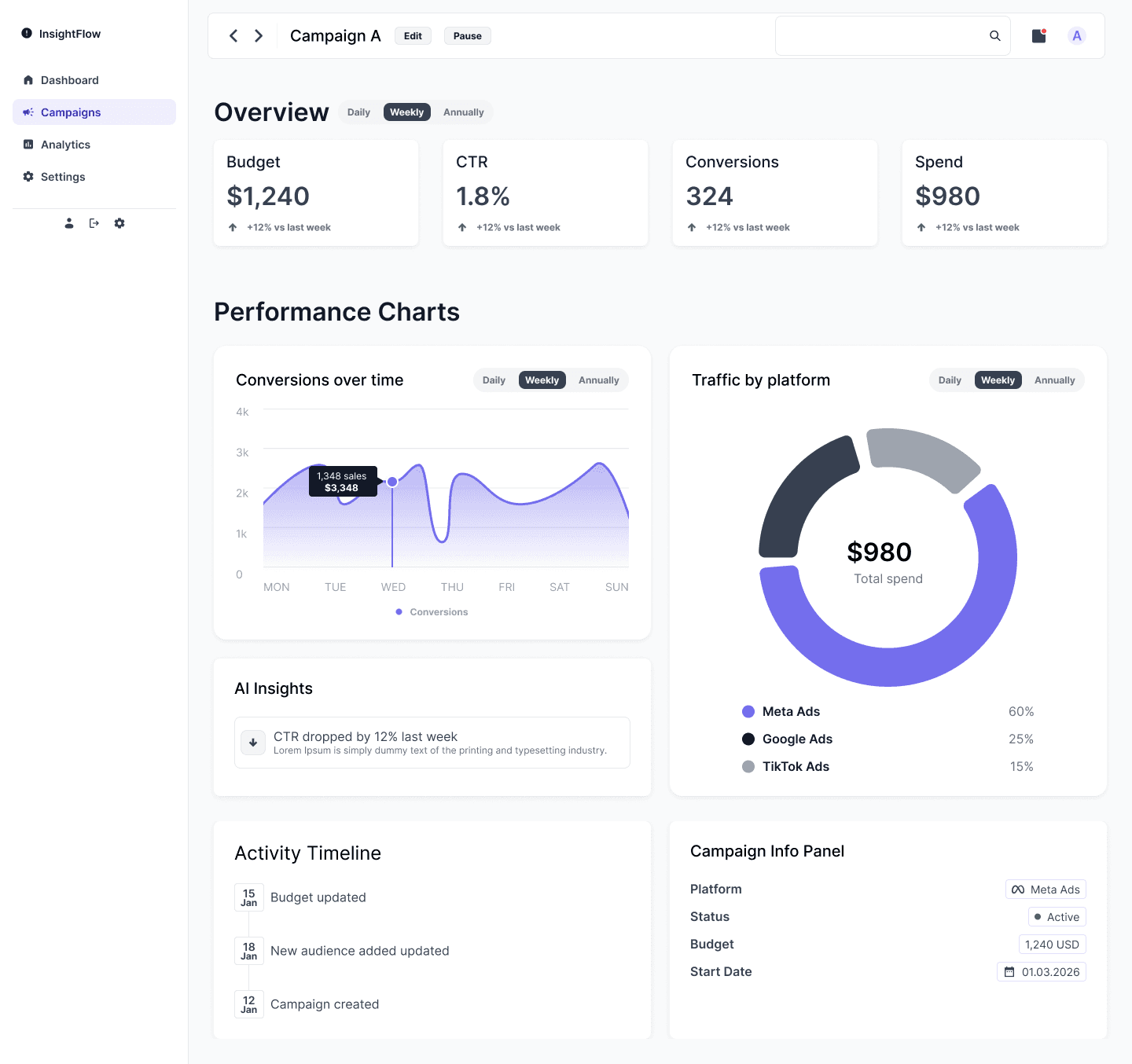
Campaign Details
The campaign list view supports browsing and comparing campaigns in a structured, table-based format.
It was designed to answer three key questions:
How is this campaign performing?
What trends or anomalies are visible?
What actions should the marketer take next?
To support this, the view combines:
KPI cards
multiple chart types
AI-driven insights
campaign metadata
activity timeline
Create Campaign
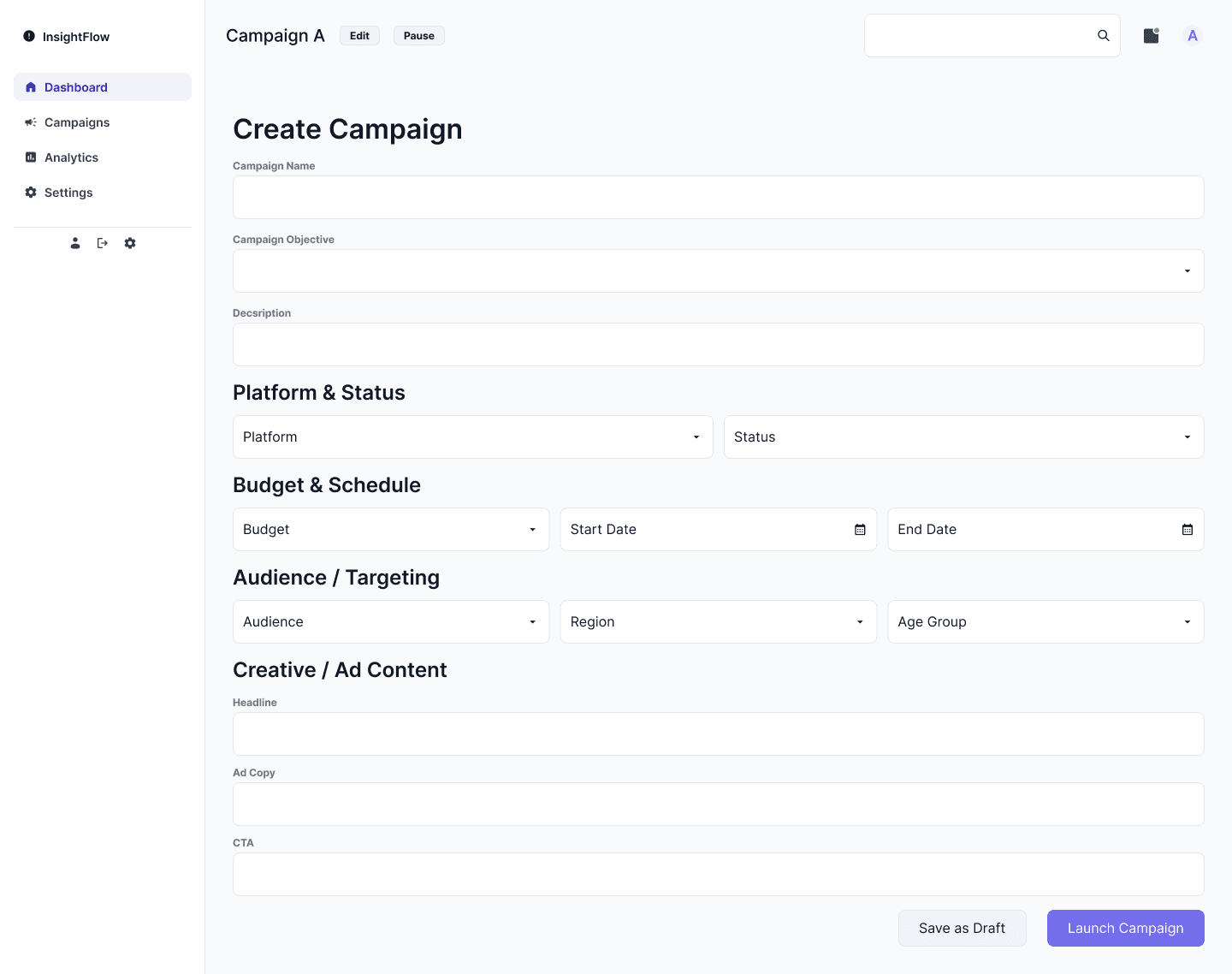
The campaign creation flow focuses on clarity and structure.
Instead of presenting one long unstructured form, the page is divided into logical sections:
campaign details
platform and status
budget and schedule
audience and targeting
creative and ad content
9. Data Visualization
To support different decision-making needs, I used multiple chart types across the product.
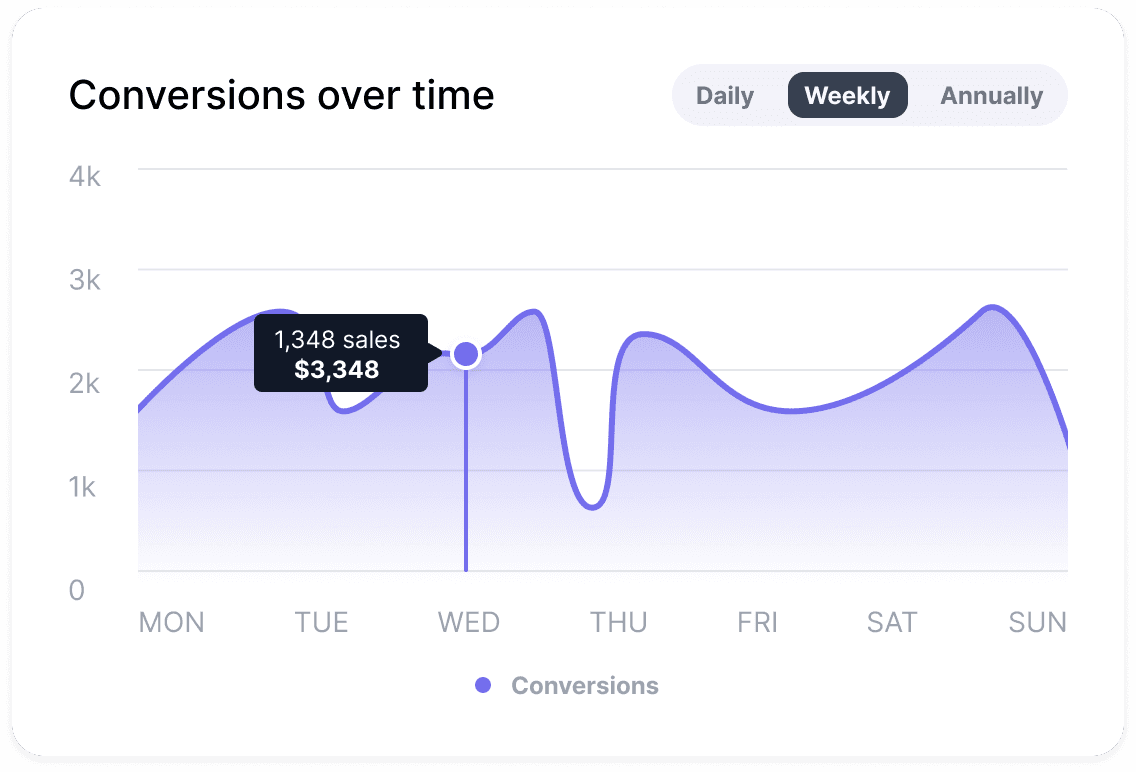
The line chart helps track performance over time and identify changes or anomalies
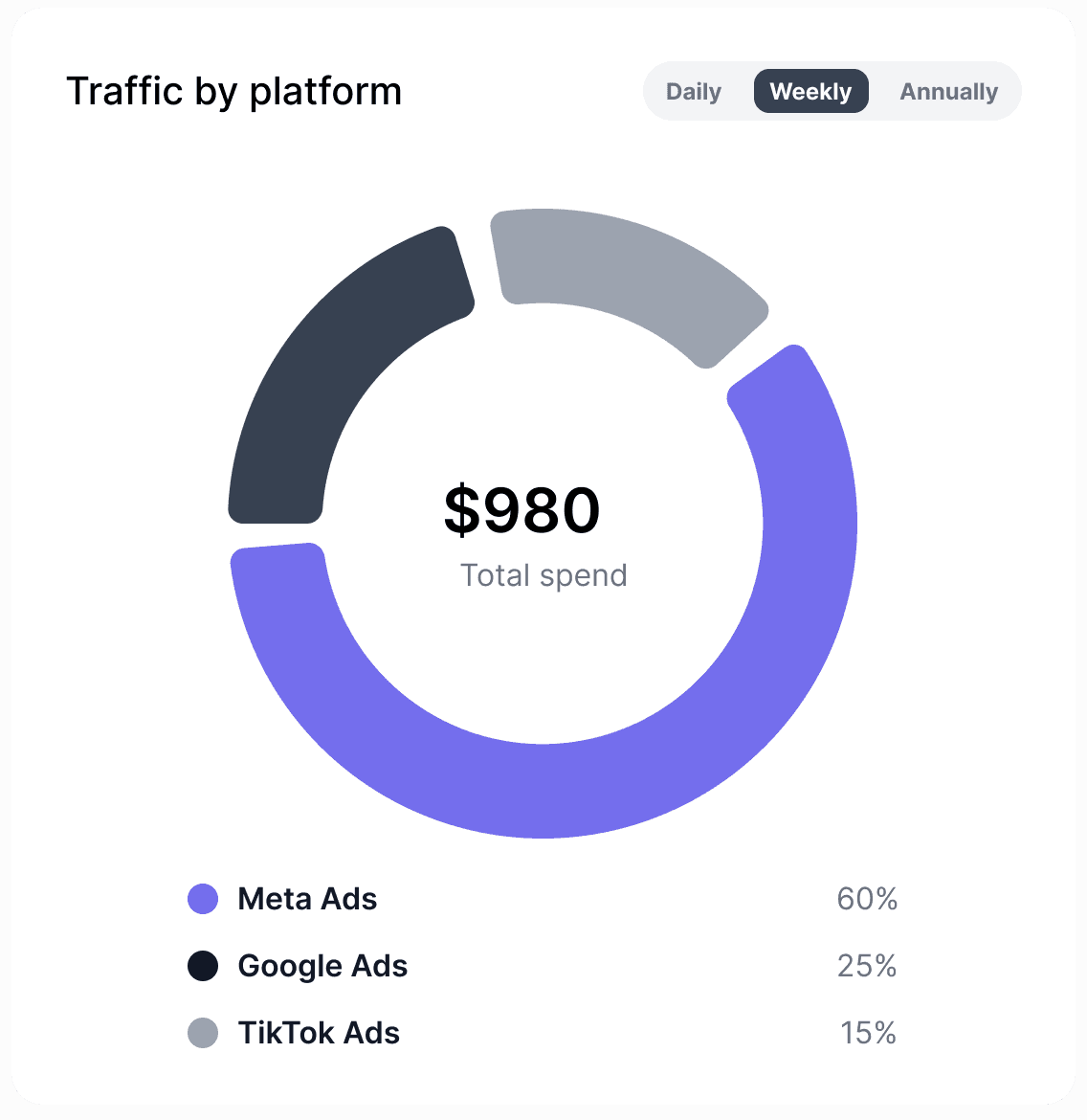
The donut chart shows distribution across platforms and provides channel-level context
Reusable Component System
A key part of the project was building a modular component system that could support multiple views without duplicating patterns.
The system included:
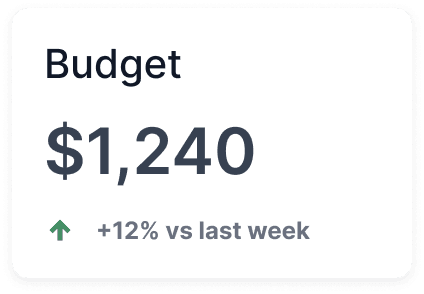
Reusable cards, KPI blocks
Chart components
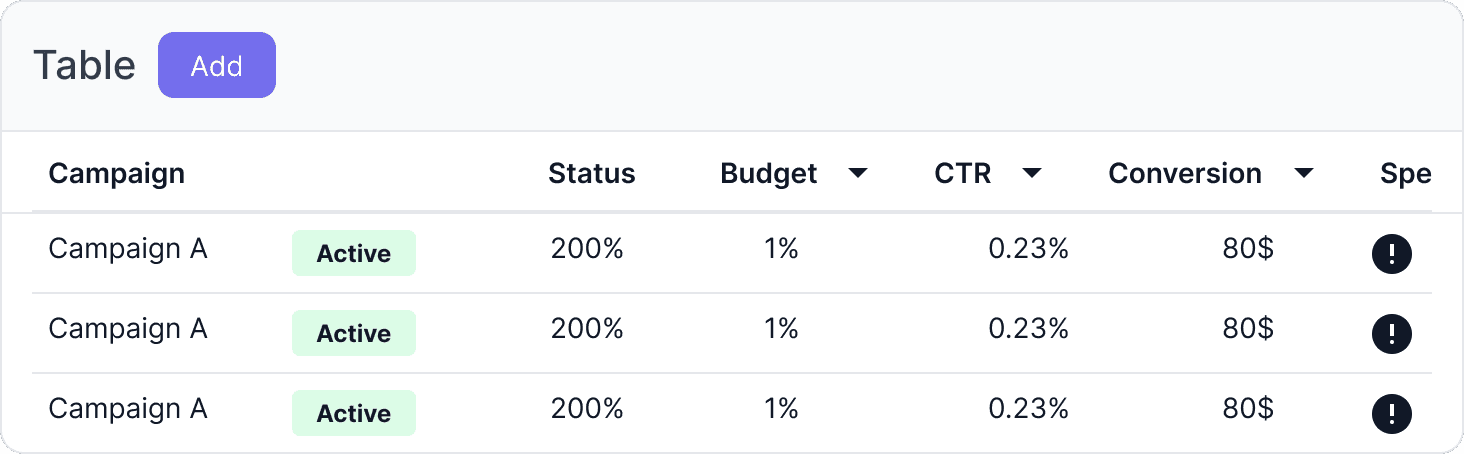
Tables and rows
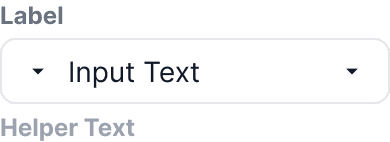
Badges, inputs, and buttons
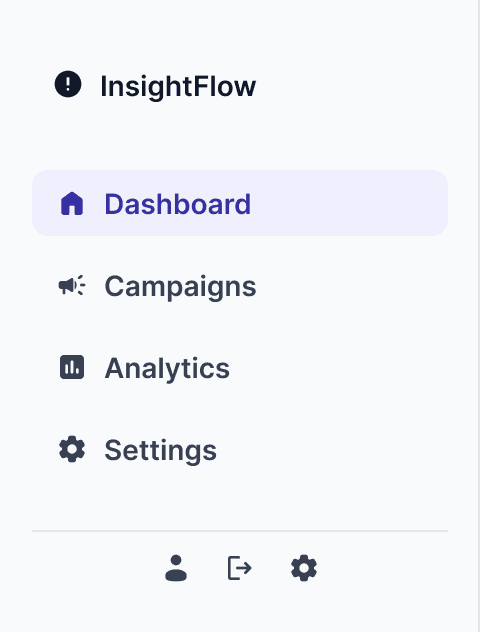
Navigation items
11. Outcome
The final result is a cohesive campaign management interface that supports the full workflow from campaign setup to campaign analysis.
The system improves:
clarity of information
speed of decision-making
consistency across views
scalability of the interface
11. Learnings
Key learnings from this project:
designing around workflows is stronger than designing isolated screens
slot-based components improve scalability
data-heavy interfaces require strong hierarchy and structured spacing
multiple views should feel like one product, not a set of disconnected layouts